
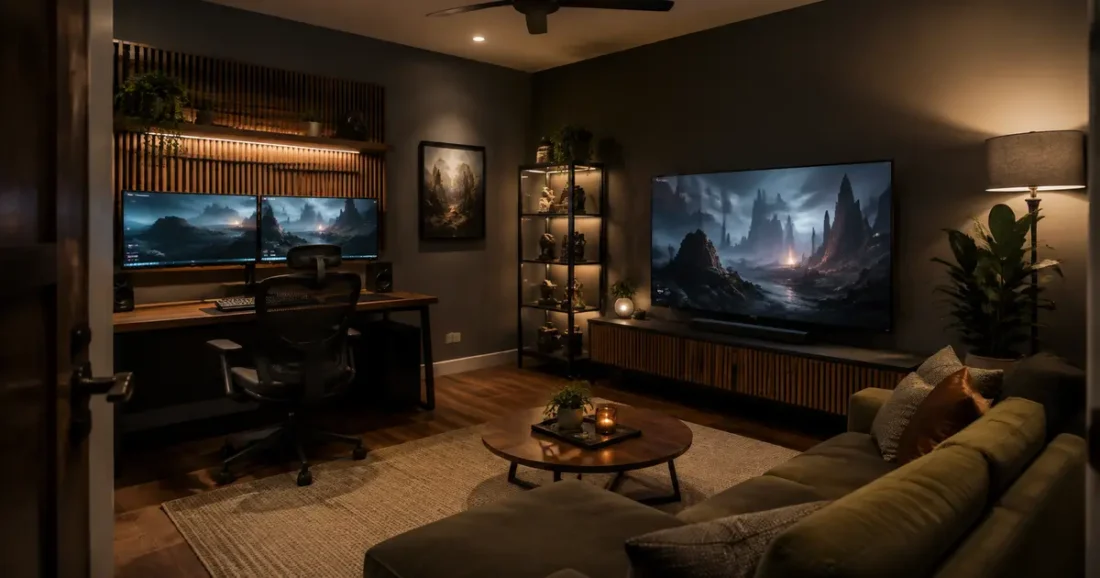
A memorable gaming room is more than a desk surrounded by colored lights. The screen sits comfortably, controllers and cables have sensible homes, and the decor gives the room an identity without interfering with play. When those basics work together, even a modest setup can feel polished.
The best gaming room for you depends on what you play, who shares the space, and how much floor area you can dedicate. A competitive PC station needs a different layout from a sofa-based console lounge or a collector’s display room. The ten ideas below cover those differences, with realistic guidance for screens, lighting, storage, furniture, and the details that make a setup easier to use every day.
Table of Contents
Plan a Gaming Room That Plays as Good as It Looks
Begin with the main activity. Decide whether the room is primarily for keyboard-and-mouse play, console gaming from a sofa, simulation equipment, streaming, or a mix. Measure the actual desk, chair at full recline, open cabinet doors, speaker stands, and any equipment you plan to add later. A scaled sketch made before shopping is more useful than trying to fit attractive pieces after they arrive.
Mark the screen wall first, then protect the viewing line and the route into the room. A desk generally needs about 24 to 30 inches of depth to keep a monitor, keyboard, and hands from feeling compressed. Behind the chair, aim for roughly 30 to 36 inches of clear space where the room allows, especially if someone regularly walks past. Treat these as planning ranges rather than rules; body size, equipment, and accessibility needs vary.
| Setup type | Useful starting space | Prioritize first | Watch for |
|---|---|---|---|
| Single PC station | About 5 × 7 feet | Desk depth and chair clearance | Window glare and heat |
| Console lounge | About 8 × 10 feet | Viewing line and flexible seating | Oversized furniture |
| Two-player station | About 8 feet of wall width | Equal work zones and cable paths | Chair collisions |
| Racing simulator | About 4 × 7 feet | Rig footprint and safe access | Blocking doors or walkways |
| Streaming setup | About 8 × 10 feet | Camera angle, light, and backdrop | Visual clutter behind the chair |
1. Build a Clean Dual-Monitor PC Command Center
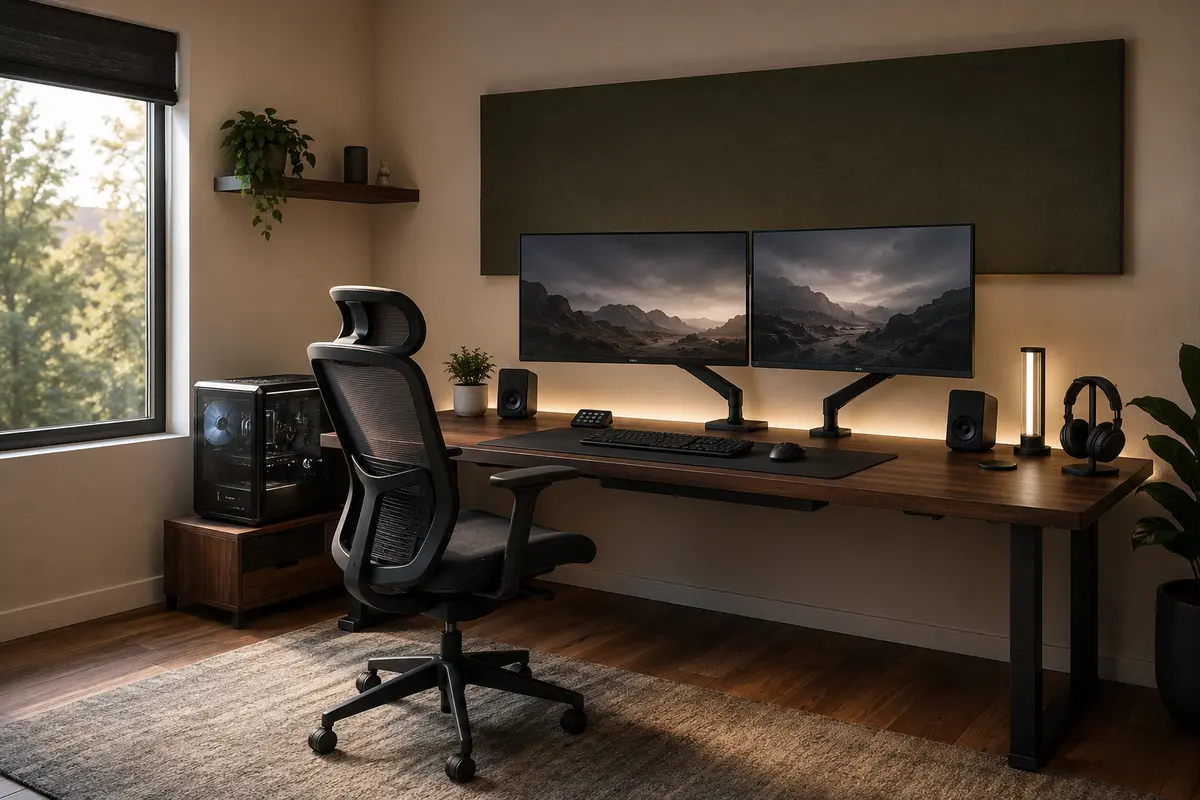
A dual-monitor station feels impressive when the composition is balanced, not when every surface is filled. Center the primary monitor on the chair and place the secondary display beside it or angle it vertically for chat, guides, and everyday tasks. A 60- to 72-inch-wide desk gives two displays room to breathe while leaving space for speakers or one decorative object.
Use monitor arms only with a desk that can support the clamp and weight. Keep the computer tower’s airflow clear and raise it from carpet when necessary. One long cable tray and reusable ties can make the area beneath the desktop look intentional.
OSHA suggests placing the top of a computer monitor at or just below eye level, with the screen directly in front of the user. Its computer-workstation guidance offers a useful starting point, but adjust for your chair, vision, screen size, and posture.
2. Create a Console Lounge Around One Big Screen
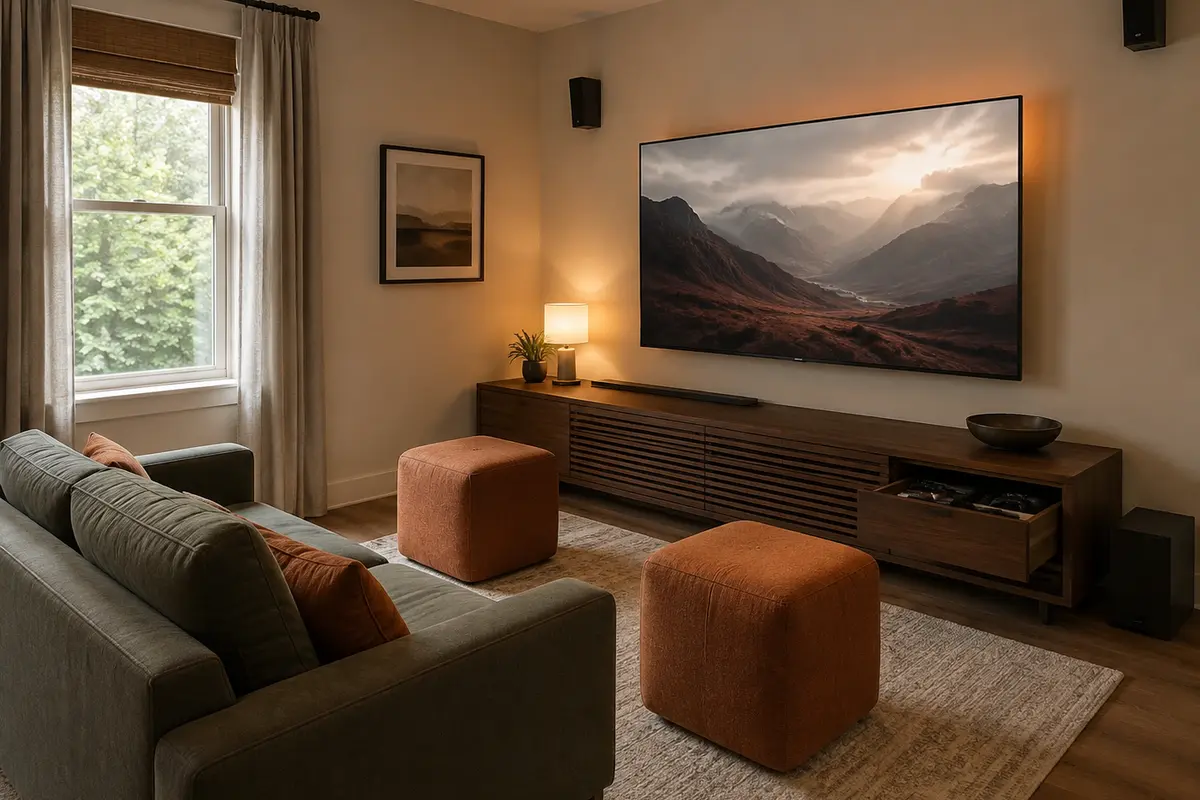
A console room works like a compact living room. Place the television on the least reflective wall and size the sofa to preserve a clear path. Before mounting the screen, outline it with painter’s tape and sit at the intended viewing position. You will quickly see whether it feels too high, too dominant, or vulnerable to glare.
Choose a low media cabinet with ventilated compartments and enough depth for the largest console. One drawer can hold controllers, chargers, and headsets. Add light poufs instead of a bulky sectional when friends visit; they move aside easily.
Use the focal-point logic in our living room layout guide. A rug beneath the sofa’s front legs will unite the seating and screen wall. Mount the TV correctly and anchor freestanding media furniture to help prevent tip-overs.
3. Turn a Bedroom Corner Into a Compact Gaming Nook
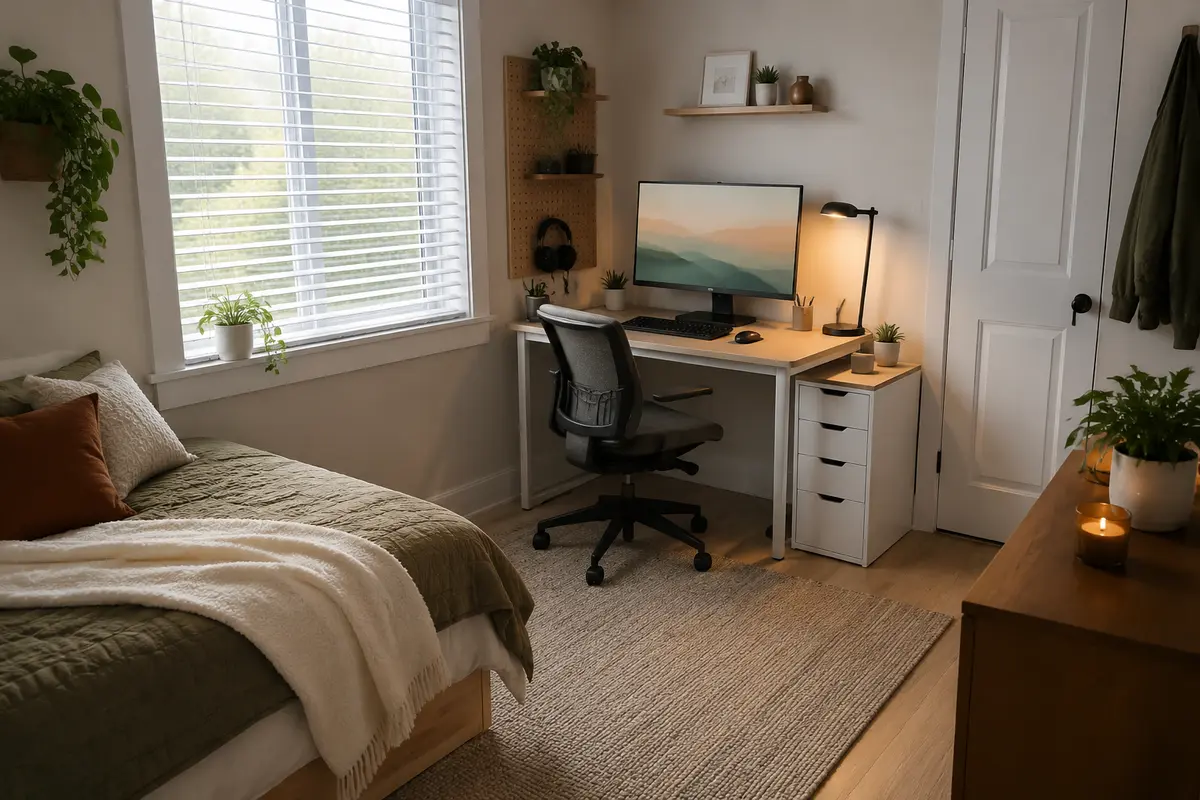
A gaming area does not need a dedicated room. In a bedroom or studio, one planned corner can feel separate without making everything look technical. Choose a 40- to 48-inch-wide desk, add shallow wall storage, and keep the largest surfaces close to the wall color.
Use vertical space without crowding the monitor. One high shelf can hold display pieces while a narrow drawer unit manages accessories below. Add a headphone hook and controller dock. In a sleeping space, choose lighting that switches completely off at night.
Our small-room layout ideas translate well here: keep the center open and choose multifunctional storage with a light visual footprint. Large speakers and deep recliners rarely suit this setup, so headphones and a compact task chair are better fits.
4. Design a Warm Minimalist Setup
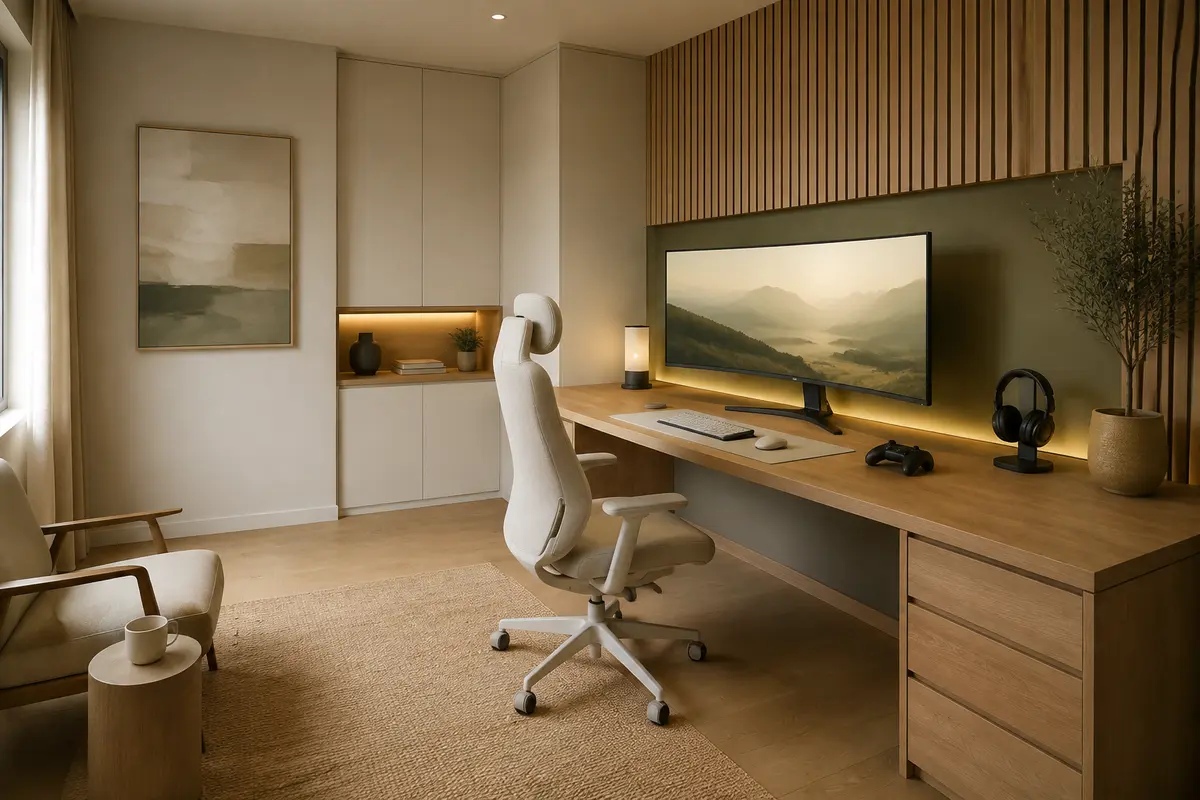
Not every gaming setup needs a black-and-neon palette. Light oak, warm white, soft gray, and muted olive can make technology feel at home in a polished interior. Select one desk finish, repeat it in a picture ledge or cabinet, and limit the visible accessories to pieces used every day.
Give the monitor wall texture with a painted panel, slim timber slats, or one large piece of abstract art beside the screen. Keep lighting warm around the room, then use a restrained adjustable accent behind the display. If you enjoy color, pick one tone and repeat it softly rather than mixing every setting at once.
This look suits a home office or shared living space. Use the earthy neutrals in our current home color guide as a starting point. Pale finishes reveal clutter, so plan cord channels and matching sleeves early.
5. Make a Dark, Cinematic Gaming Den
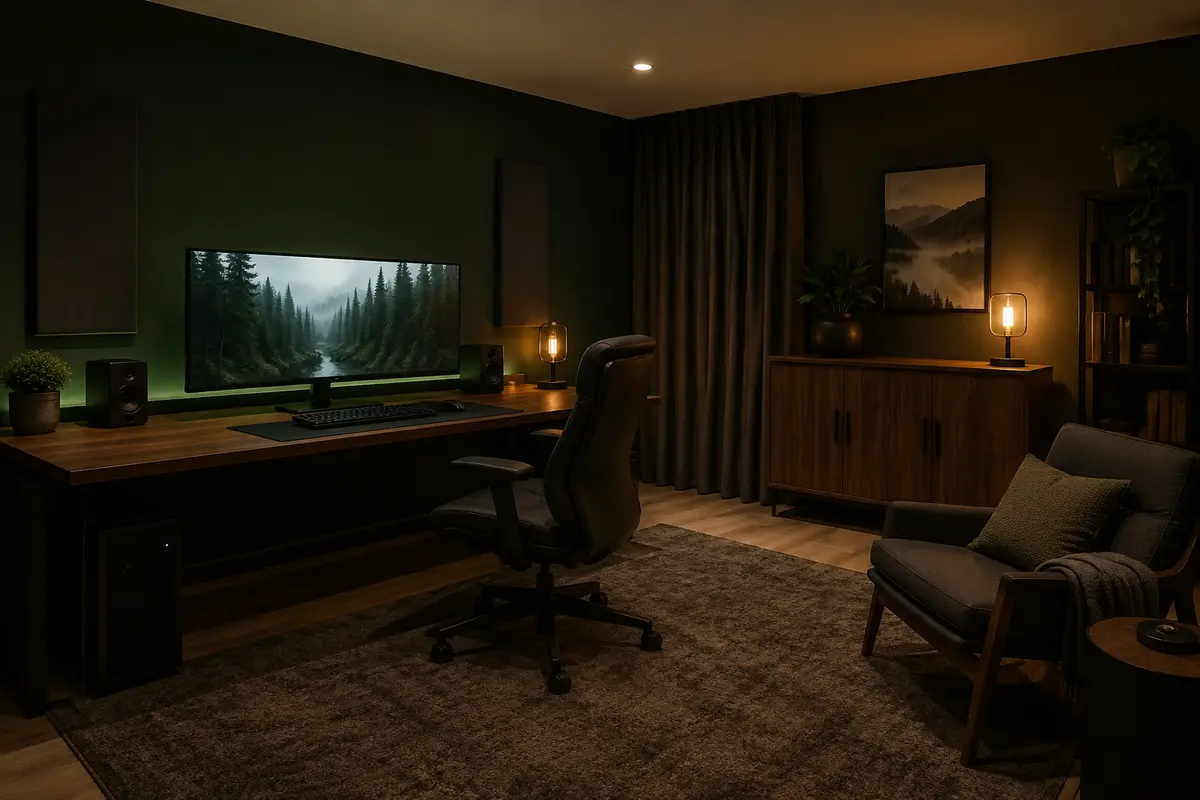
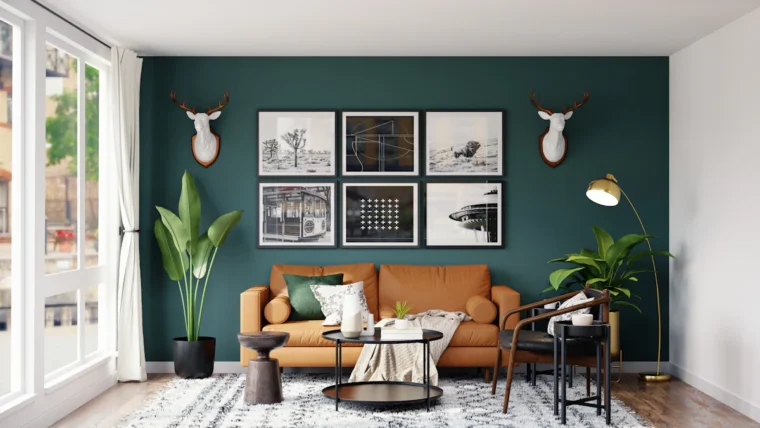
A dark room can feel immersive without becoming gloomy. Paint the screen wall charcoal, deep forest green, or midnight blue, but keep the ceiling or an adjacent wall slightly lighter if the space is small. Matte finishes control reflections better than glossy paint, while wood, felt, and woven fabric prevent the room from feeling cold.
Use a dimmable ceiling fixture, soft ambient light behind the screen, and a small task lamp. Keep bright sources out of the direct sightline. OSHA’s workstation-environment guidance recommends well-distributed, diffuse light to reduce bright spots and glare.
Dark surfaces show dust and fingerprints, so use them strategically. A medium-tone rug and walnut cabinet are more forgiving than an all-black room. Control strong daylight with lined curtains or adjustable shades before adding elaborate lighting.
6. Build a Balanced Two-Player Battle Station
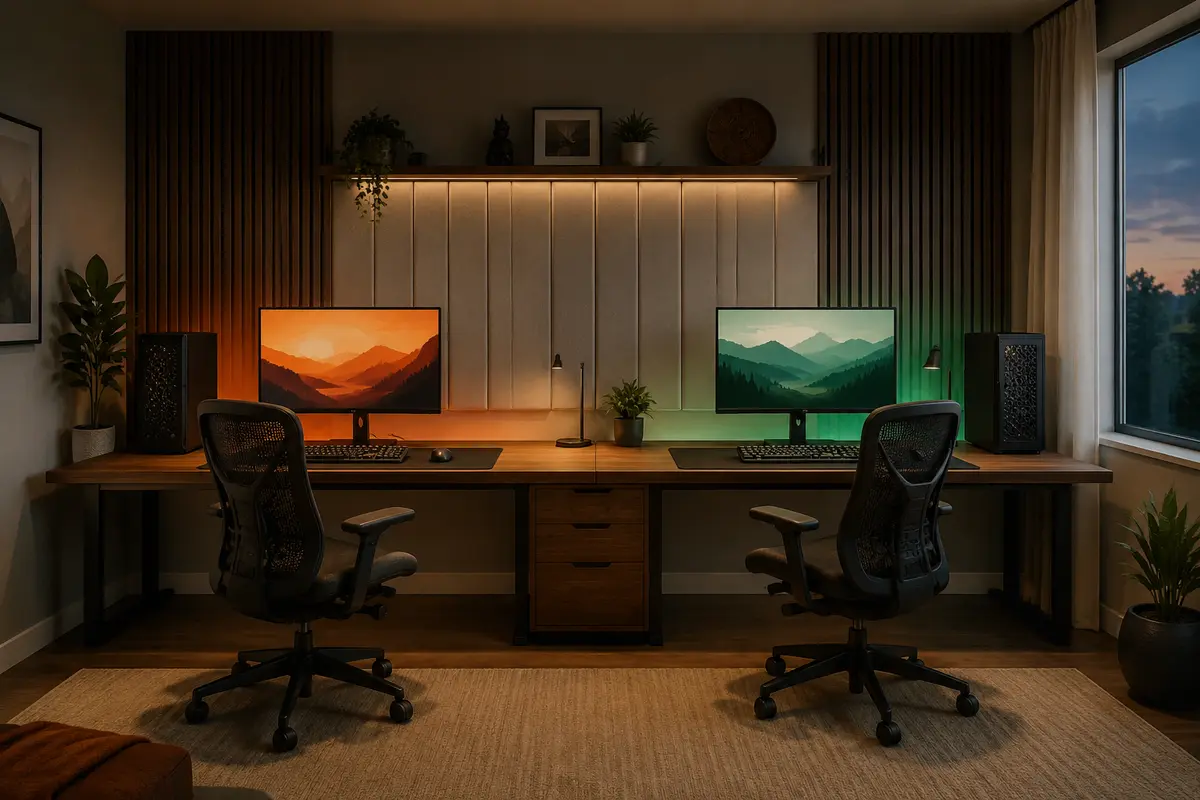
A shared station looks cohesive when both sides follow the same grid. Use one continuous desktop about 8 feet wide or two matching desks with a narrow storage tower between them. Give each player equal monitor space, lighting control, headphone storage, and access to outlets so one side does not feel like an afterthought.
Pull both chairs back and rotate them before fixing the layout. Extra space between stations may matter more than another display shelf. Route the two cable groups separately and keep shared network equipment in a ventilated center cabinet.
Match the major pieces, then let each side show personality through one framed print, a desk mat, or a controlled accent color. If the users have different body proportions, choose independently adjustable chairs and monitor arms instead of forcing identical ergonomic settings. Symmetry should organize the room, not dictate how each person sits.
7. Create a Retro Arcade Corner
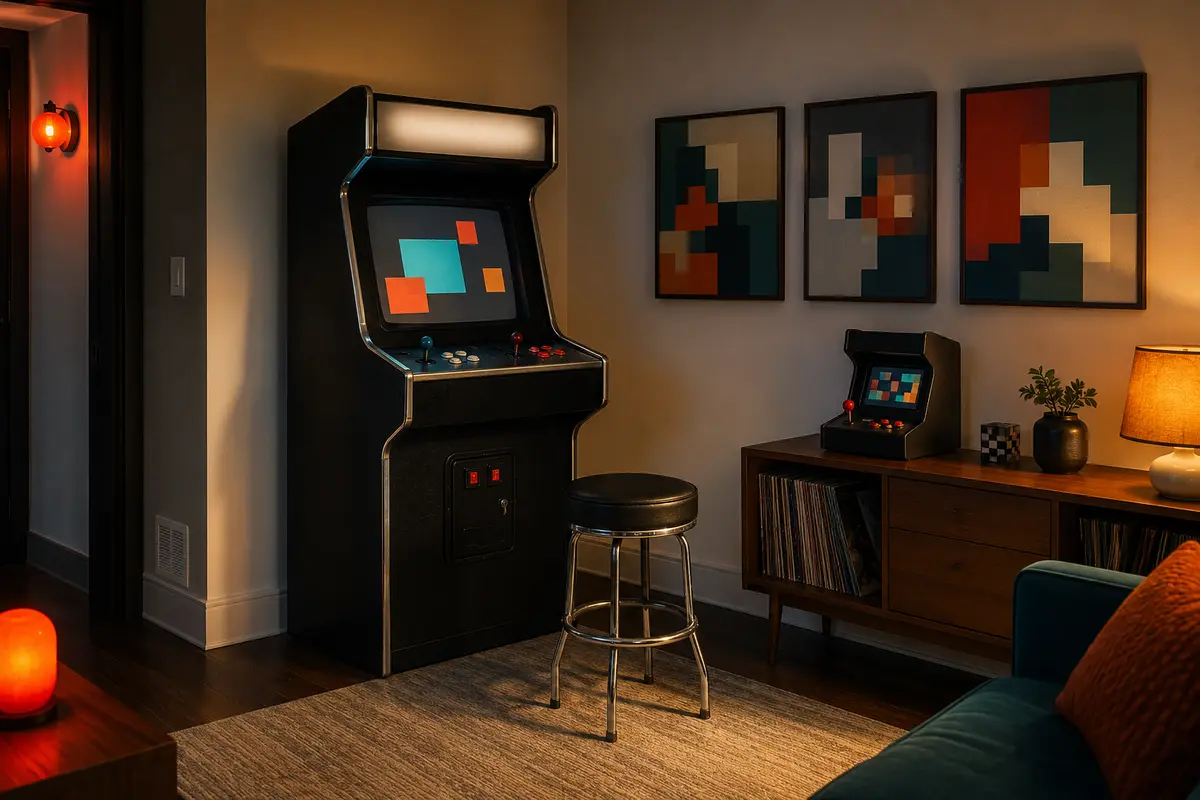
An arcade-inspired room needs only a few strong references. One full-size cabinet or compact tabletop machine can become the focal point, supported by checkerboard accents, saturated color, and a small gallery of pixel-inspired art. Leave enough blank wall around the machine so it reads as a feature rather than part of a storage pile.
Test the cabinet’s control clearance, power location, and ventilation before choosing a corner. Line up several machines along one wall and preserve a route behind players. A low-pile rug can soften sound, but keep textiles away from vents and moving parts.
For a subtler version, pair a modern console with one vintage-style chair and art in two or three bold colors. Avoid a wall crowded with unrelated characters; a consistent palette and frame style look more considered.
8. Plan a Racing Simulator Zone
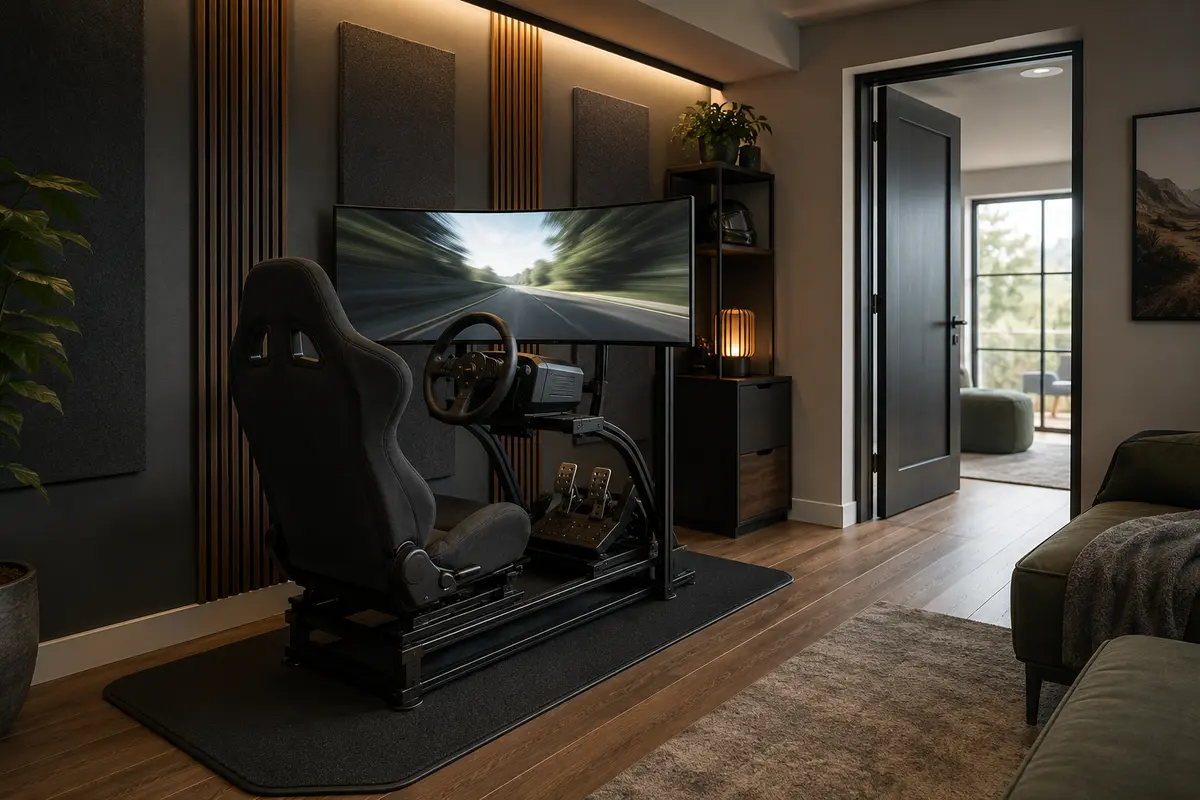
A racing rig is furniture, equipment, and a movement zone all at once. Measure the full frame, seat adjustment range, pedal deck, monitor stand, and the space required to step in from the side. A typical compact zone may use roughly 4 × 7 feet, but the actual rig should determine the plan.
Set the simulator along a side wall rather than in the center of a multipurpose room. A low platform or flat, durable mat can visually define it and protect the floor, while a narrow cabinet nearby holds the headset, gloves, and spare controls. Keep wall decor horizontal and restrained so the screen remains the dominant visual element.
Vibration and fan noise can travel through shared walls and floors. Equipment pads and distance from a bedroom wall may help, though buildings vary. Never block exits or run loose cables across the entry path. A foldable frame may suit a small home better than a permanent cockpit.
9. Style a Collector’s Display Wall
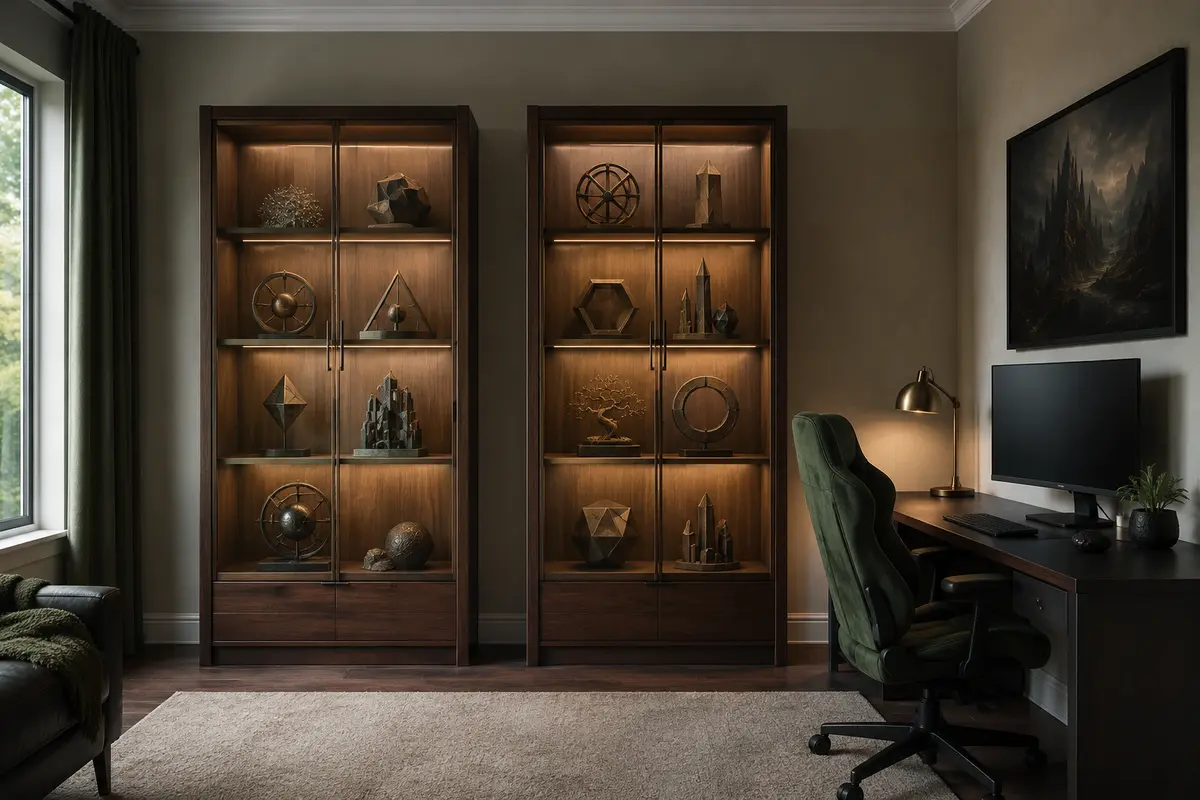
A strong display wall treats collectibles like a curated collection, not background clutter. Group items by series, color, scale, or era, and leave breathing room between clusters. Closed glass-front cabinets reduce dust, while open shelves keep frequently rotated pieces easy to rearrange.
Use shallow shelves for figures and properly supported cabinetry for heavier objects. Place large pieces below eye level and use small risers rather than precarious stacks. Light the front of the collection without reflecting in cabinet glass or the monitor.
Secure tall cabinets and shelving, especially in homes with children or pets. The CPSC’s TV and furniture anchoring advice recommends keeping heavier items low and cords out of reach. Observe shelf-load limits and use suitable hardware.
10. Build a Stream-Ready Gaming Room
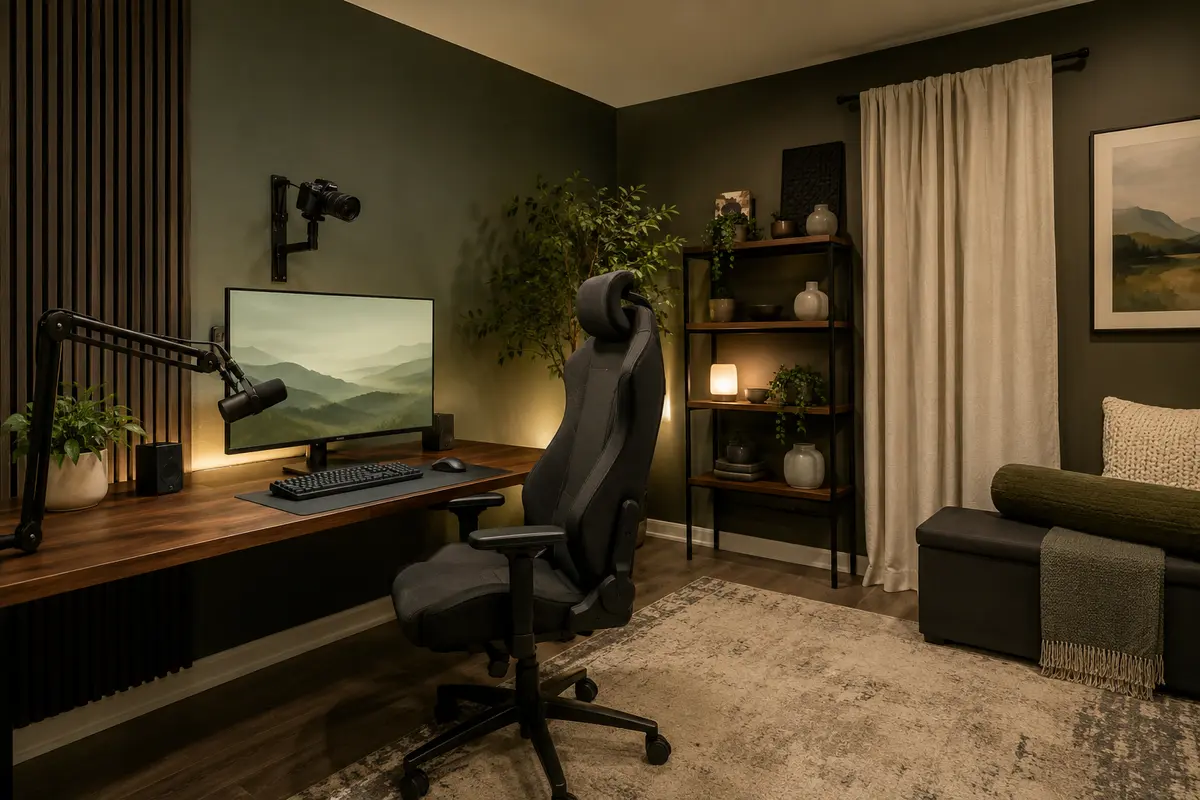
A streaming setup has two viewpoints: what the player sees and what the camera sees. Place the desk for comfortable play first, then frame the background with one shelving unit, a plant, a lamp, or a color-blocked wall. A simple background with depth usually looks more deliberate than a shelf filled edge to edge.
Position the key light slightly above eye level and off to one side, then add softer background light. Keep exposed bulbs and strong LED strips out of frame. Curtains, rugs, upholstered seating, and purpose-made acoustic products can soften a hard room, but decorative foam is not soundproofing.
Give microphones and camera arms clear mounting points. Leave safe cable movement for swinging arms or a rising desk. In a shared office, create a background that still looks calm with colored lighting switched off.
Finish the Room With Better Lighting, Power, and Sound
Build the lighting plan around control: dimmable ambient light, a small task lamp, and soft accents behind displays or shelves. Avoid visible diodes reflected in a monitor. Diffusers, concealed channels, and light aimed at a wall produce a smoother result. Keep a neutral white setting available.
Count the computer, monitors, consoles, television, speakers, chargers, lights, networking gear, and future equipment before deciding where power is needed. The Electrical Safety Foundation International warns that extension cords should not replace permanent wiring and should not be run through walls, doors, ceilings, or floors. Review its extension-cord safety guidance, follow equipment instructions, and ask a qualified electrician to assess inadequate or frequently overloaded outlets.
Finally, plan for heat. Leave manufacturer-required clearance around consoles, computers, receivers, and chargers; do not hide warm equipment inside an unventilated cabinet. Blackout curtains can reduce glare but may also trap heat at a sunny window. A quiet fan, workable return-air path, or HVAC review may matter more to comfort than another decorative purchase.
Frequently Asked Questions
What is the best color for a gaming room?
Dark charcoal, navy, and forest green create an immersive backdrop, while warm white, light gray, and natural wood suit bright or multipurpose rooms. Start with a neutral base and use one controlled accent color in lighting, art, or accessories so the room stays cohesive.
How much space do I need for a gaming room?
A single PC station can fit within roughly a 5 × 7-foot zone, while a console lounge is more comfortable around 8 × 10 feet or larger. Measure the equipment, chair movement, doors, and walkways rather than relying only on total square footage.
Where should a gaming desk face?
Choose a wall that keeps strong window reflections off the screen and does not block the main walkway. A desk set perpendicular to a window often controls glare better than one directly facing or backing onto it, though shades may still be necessary.
Are LED lights necessary in a gaming room?
No. Good ambient light and a comfortable task light matter more than colored LEDs. If you add LED strips, conceal or diffuse them, avoid direct reflections in screens, and choose controls that let you dim them or switch to a neutral white.
How do I hide cables in a gaming setup?
Group cables by destination, secure them beneath the desk with a tray and reusable ties, and route one tidy bundle toward the outlet. Leave slack for monitor arms or standing desks, label hidden plugs, and never place unsafe covers over cords that can trap heat.
How can I make a small gaming room feel bigger?
Use a shallow desk, wall-mounted storage, one restrained color palette, and furniture with a lighter visual profile. Keep the center of the floor open, avoid oversized chairs, and limit display pieces to a few organized groups rather than covering every wall.
How do I keep a gaming room from getting too hot?
Preserve ventilation around equipment, keep computer and console vents clear, control direct sunlight, and avoid sealing heat-producing devices inside closed cabinets. If the room remains uncomfortable, have the airflow or HVAC needs assessed rather than relying only on a desk fan.
Start With the Screen, Then Build Around It
An epic gaming room is the result of a clear hierarchy: the right screen position, a comfortable seat, safe power, controlled light, and storage that keeps distractions out of the way. Choose the setup that matches how you actually play, mark its footprint on the floor, and solve cables and circulation before buying decor. Once the practical layer works, a focused palette, a few meaningful displays, and carefully placed light will give the room its character.

Share Your Thoughts